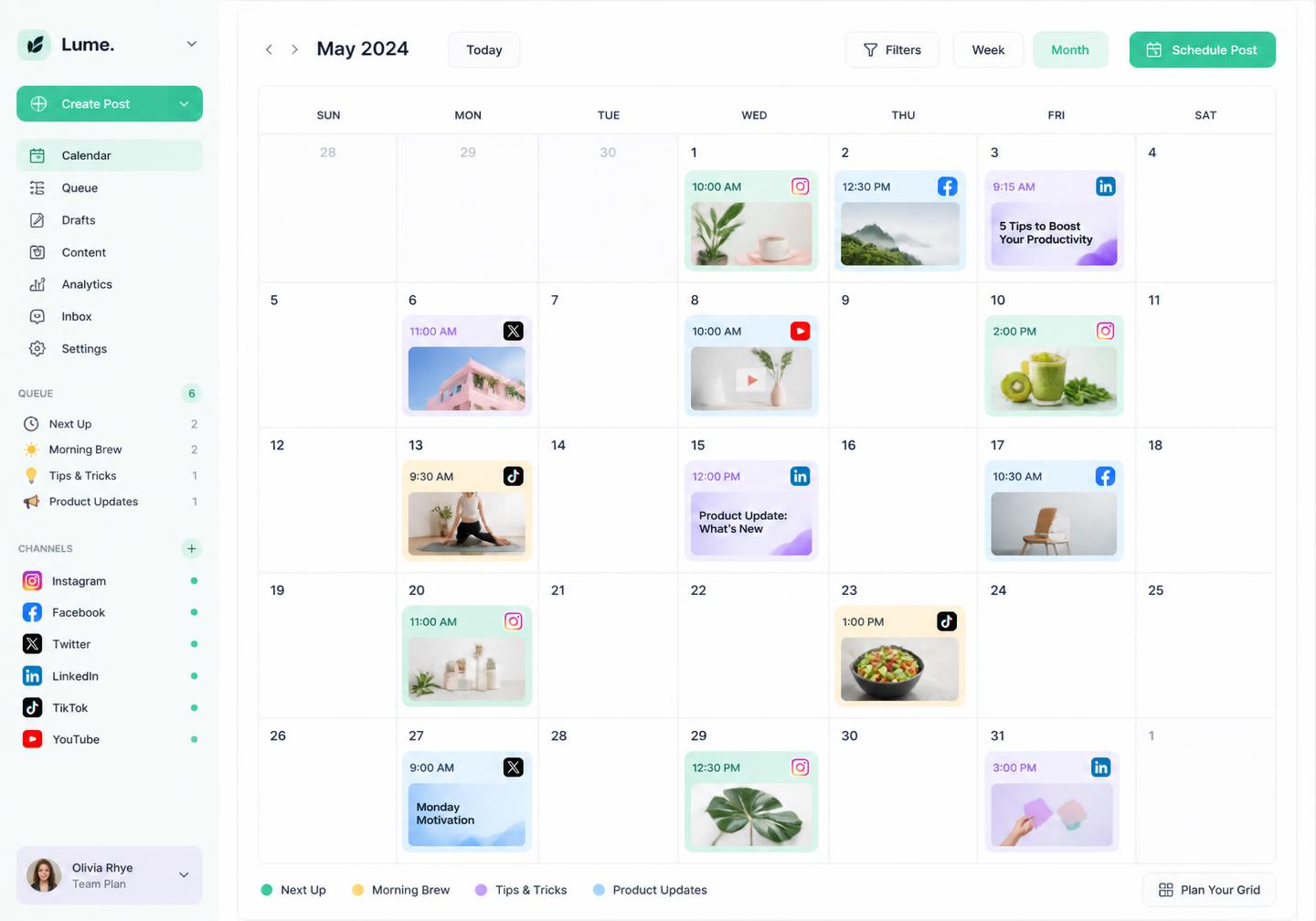
One calendar for every channel
See the whole month at a glance, drag posts to new slots and spot gaps before your feed goes quiet.
Put your social publishing on auto-pilot. Use Pixalera as your Instagram post scheduler and content calendar tool: plan the whole month in one view, bulk schedule social media posts to every network at once and let Pixalera publish at the times your audience is actually online.
Free forever plan · No credit card · Connect accounts in 2 minutes
Built for consistency
See the whole month at a glance, drag posts to new slots and spot gaps before your feed goes quiet.
Pixalera reads your last 90 days of engagement and drops each post into the slot most likely to perform.
Re-queue winning posts on a set cadence so your best content keeps earning reach long after day one.
Route drafts to reviewers, collect comments in-line and publish only once everyone has signed off.
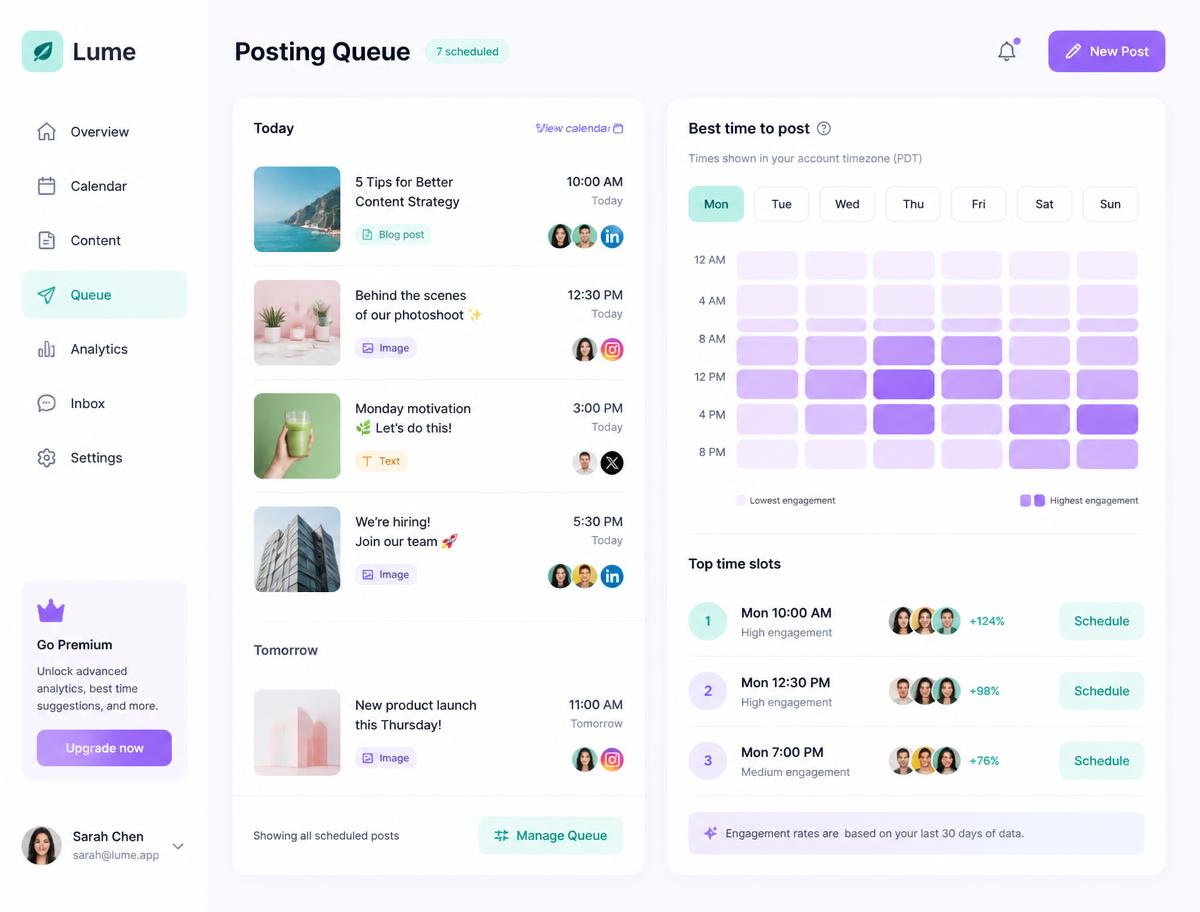
Smart queue system
A queue beats a calendar full of one-off reminders. Decide when you want to post, then simply keep the pipeline topped up — Pixalera handles the rest.
Set posting times per channel, per weekday and timezone once. Set a posting goal and every new post simply drops into the next open slot.
Import a CSV or drop a folder of media and Pixalera turns it into scheduled posts with captions attached.
Filter by channel, campaign or status. Drag, duplicate or pause anything without touching the network apps.
Posts go out natively. If a network hiccups, Pixalera retries and alerts you with the exact failure reason.
Omni-platform
Native publishing through official APIs — no browser extensions, no copy-paste, no logging in and out of six apps. Each network gets its own format, limits and extras handled automatically.
Upload a CSV or a folder of media and schedule 100 posts in one pass.
Group launches, series and client work with tags and colour-coded filters.
Retries, alerts and a health check on every connected account.
Freeze a channel or the whole queue, shuffle slots, clean duplicates or empty the queue in one click.
Included on every plan, from solo creator to agency workspace.
There is no cap on how far ahead you can queue. Creators routinely plan a full quarter, and bulk upload makes a month of posts a five-minute job.
Everything publishes automatically through the official APIs. Where a network restricts automation, you get a push reminder with the post ready to tap and share.
Yes. Update a slot and every future post shifts with it. Individual posts can be pinned to a fixed time so they stay put.
Pixalera retries automatically, then flags the post with the network's error message so you can fix and re-queue in one click.
Invite reviewers with approval-only access. They can comment and approve but never see billing or connected account credentials.
Publishing works for Instagram, Facebook, YouTube, Threads, Bluesky and Pinterest. Auto-DM and comment automation cover Instagram and Facebook, and the unified inbox also pulls in YouTube comments. LinkedIn, X (Twitter) and TikTok are on the roadmap.
Yes, and it is free forever: 1 connected channel, 3 scheduled posts a month, 25 Auto-DM sends and 10 AI credits — no credit card required. Paid plans start at ₹499/month ($5.22).
UPI, all major debit and credit cards, net banking and wallets, processed securely through Razorpay. Monthly renewals use an AutoPay mandate you can cancel any time.
Yes. Pixalera connects only through the official platform APIs (Meta, YouTube and others) using their own permission screens — never your password — and respects each platform's rate limits, including one automated Instagram DM per person per 24 hours.
Fill your queue once and stay consistent on every channel, week after week.
Start free trialNo credit card required